;%20stroke-width:0px;'/%3e%3c/g%3e%3c/svg%3e)
A powerful rolltable engine for your creativity!
Rolltable Manager began with a simple need: I wanted one place to collect the random tables I use for campaigns, solo games, worldbuilding, and storytelling. I did not need another full virtual tabletop. I wanted a focused creative tool built around rolltables, random generators, and the results they produce. I was tired of flipping through countless pages of books and PDFs, using VTTs only for their rolltable mechanics, or storing my rolltables in note-taking apps that were not built for them.
Rolltable Manager is a local-first application, meaning your local projects are stored in your browser. You can create, organize, and roll local projects for free without an account. Cloud Sync backup is optional and available to Patreon supporters.
Is Rolltable Manager useful for me?
Rolltable Manager is a flexible tool for TTRPGs, solo play, worldbuilding, and creative writing. If you have ever used a rolltable in a book, PDF, or virtual tabletop, you already know the basics.
Where Rolltable Manager stands out is in its ability to connect tables together, add context-aware filtering, and combine results into a single outcome. You can start with a simple table or go as deep as you want when making your random generators.
- GroupsUse Groups as folders or books for organizing related Rolltables.
Step 1 of 4. Leads to Lists.
- ListsUse Lists like chapters in a book to organize Rolltables.
Step 2 of 4. Follows Groups. Leads to Rolltables.
- RolltablesRolltables store Entries and define how they are rolled.
Step 3 of 4. Follows Lists. Leads to Entries.
- EntriesEntries contain your actual Rolltable content. Use
@mentions to link to other Rolltables.Step 4 of 4. Follows Rolltables.
Make your own collection
Create a project to give each campaign, game, or creative setting its own workspace. Within a project, Groups, Lists, Rolltables, and Entries make it possible to organize a small collection or a much larger library.
Your content can be linked, so multiple rolltables can use your chosen entries, making it easy to maintain a consistent and rich world.
As your collection grows, Omni Search helps you find Groups, Lists, Rolltables, Entries, and saved content across your project. You can also roll directly from rolltable search results.
Features to stay organized
- Link Lists, Rolltables, or Entries to reuse the content without duplicating it
- Drag content into your preferred order, and search and filter your content
- Save frequently used content in Favorites and Shelves located in the left sidebar
- Use Omni Search to find and navigate to content. Roll directly from search results
- Add descriptions and Markdown notes to Groups, Lists, and Rolltables
Build your own generators
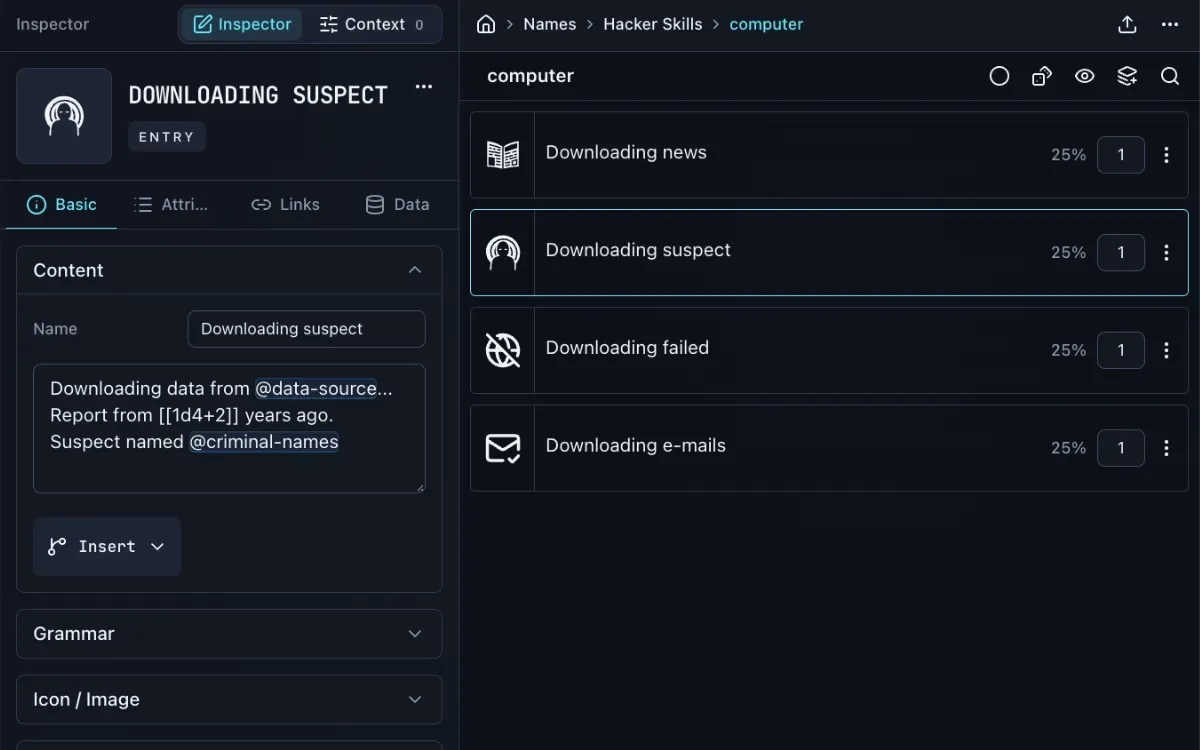
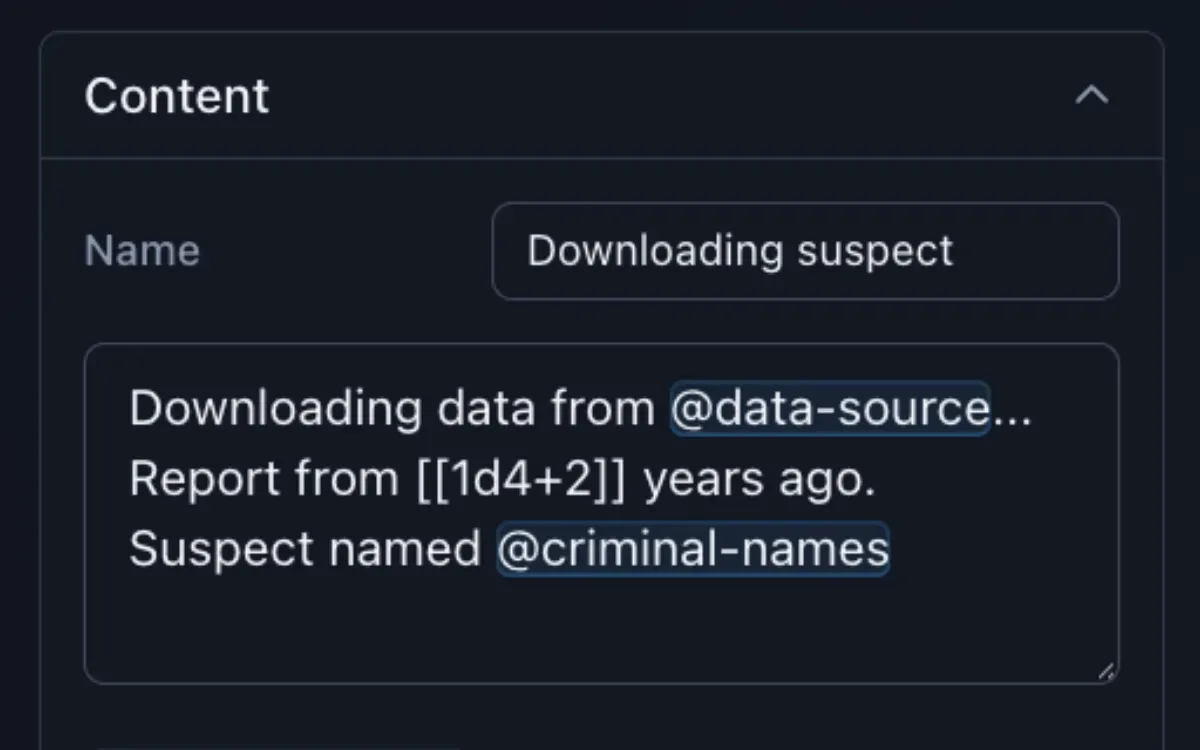
Rolltable Manager can connect tables together by inserting mentions in the text area of your entries. This can massively increase the variety of outcomes.
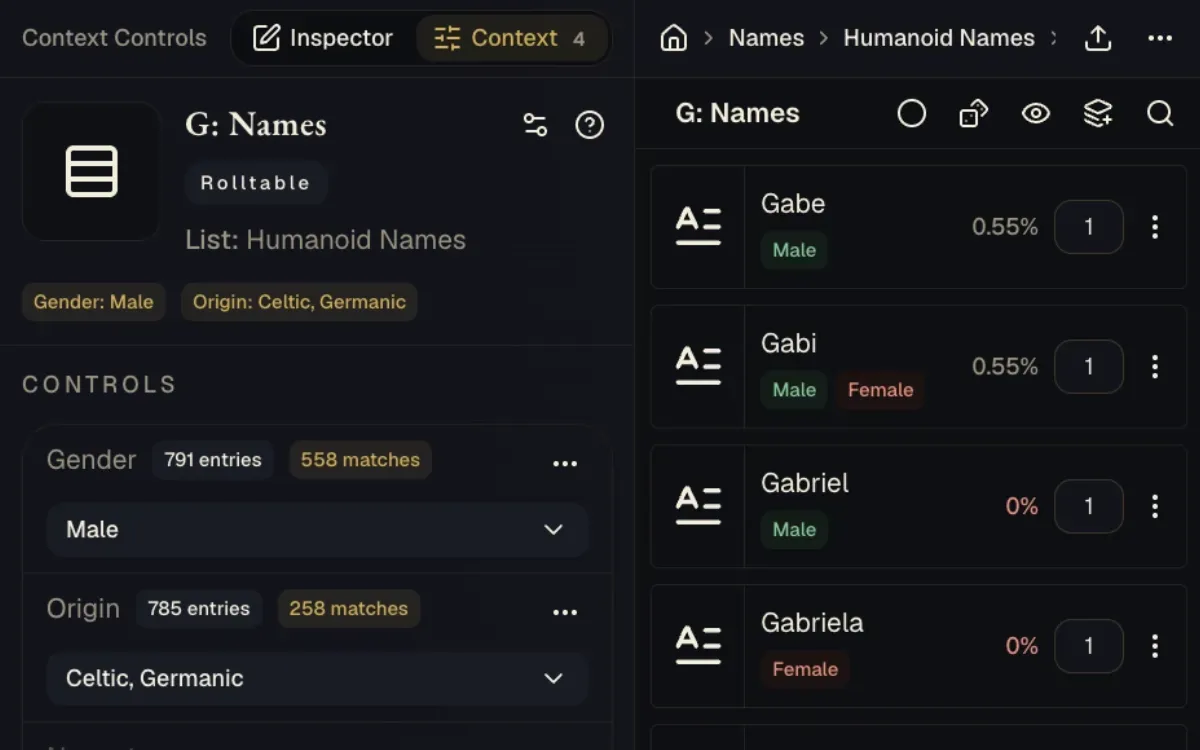
Variables can be created to filter entries and narrow down the options in a rolltable. Example filters: gender, origin, weather, danger, season, mood, or whatever you need.
- Choose weighted random selection or dice-based roll modes
- Draw from other Rolltables through mentions inside Entry text
- Use variables, activation rules, weight adjustments, and Entry Filters
- Add explicit values such as currencies to generated results
- Create result-driven choices with Entry Action Buttons
- Reference TTRPG compendium content in your entries
Mentions can combine rolltables into a single result
- Names“Elira”
Leads to NPC with a secret.
- Occupations“cartographer”
Leads to NPC with a secret.
- Origins“the Salt Coast”
Leads to NPC with a secret.
- Secrets“forbidden map”
Leads to NPC with a secret.
- NPC with a secret
Follows Names, Occupations, Origins, and Secrets. Leads to Rolled result.
- Rolled result
Follows NPC with a secret.
NPC with a secret
Elira, a cartographer from the Salt Coast, is hiding a forbidden map.
NPC with a secret
Rolltable with mentions
RolltableConnect your rolltables and make custom generators. @name, a @occupation from @origin, is hiding a @secret.
Rolled result
Final result with annotations
TipIn Rolltable Manager, you can reroll each mention directly from the result.
Advanced roll options for your content
You can roll from a single rolltable or an entire List or Group of rolltables. Results can include nested rolltable draws when you add mentions to an entry, as well as dice rolls, custom values, compendium references, and action buttons.
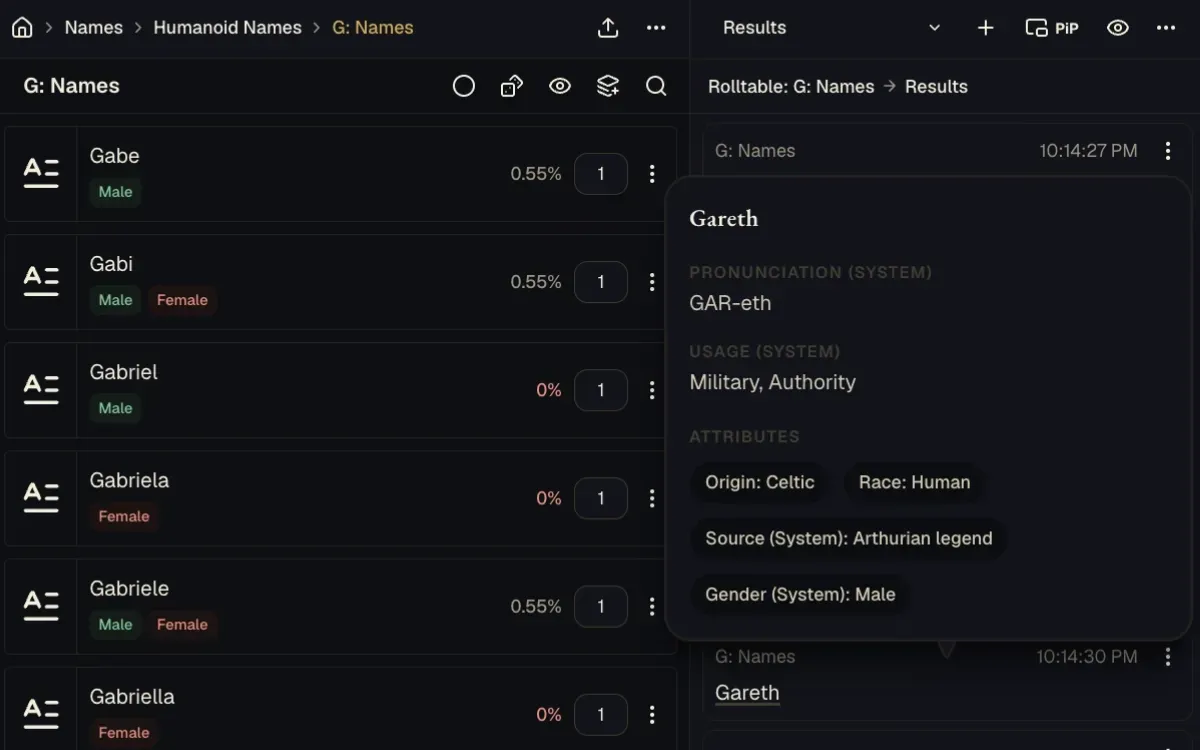
Useful results can be saved by pinning the ones that matter or placing them in a custom collection. You can even reroll inline mentions and dice rolls without rerolling the entire result.
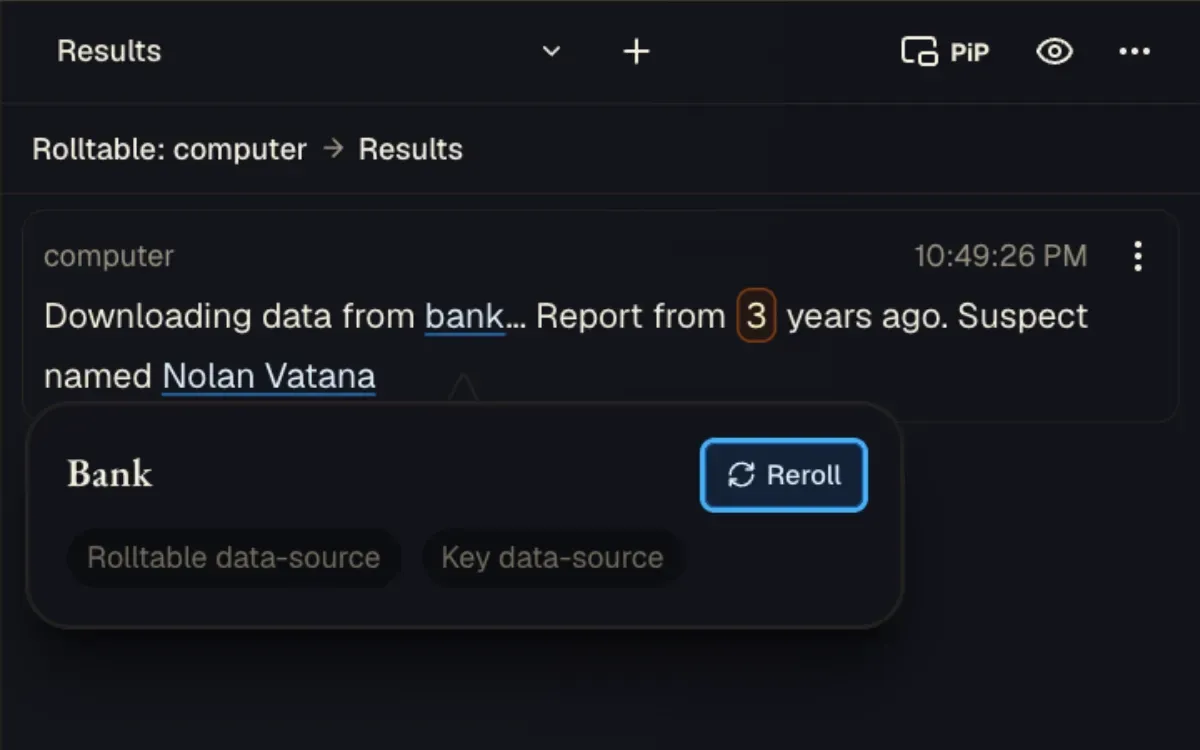
Work with the result, not only the roll
- Reroll complete results, nested table mentions, or inline dice
- Pin results or sort them into custom collections
- Click on your result text to reveal useful information
- Inspect roll details and saved result versions
- Copy a result into a VTT, notes, chat, or another app
Mass edit saves you time editing larger rolltables
Mass Edit saves you from repeating the same change one row at a time. Use it to apply changes to multiple selected items.
Text and Excel imports help bring existing material into a table, while Mass Edit applies a deliberate change across selected content.
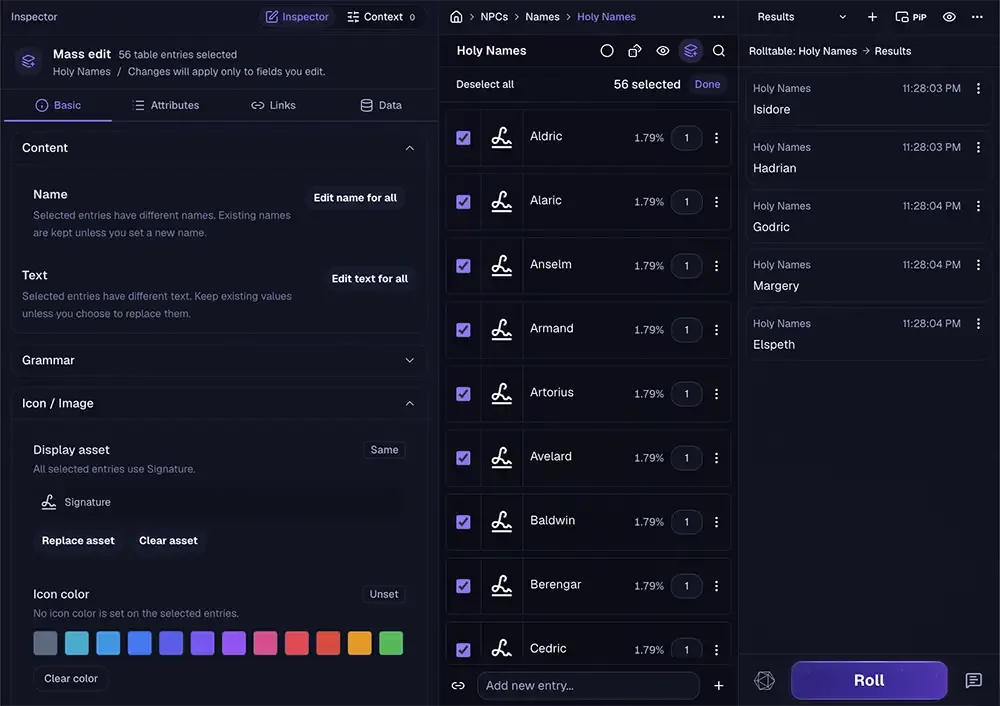
Spend less time on repetitive editing
- Import rolltable data from plain text or an Excel workbook
- Import markdown data to keep notes attached to your groups, lists, and rolltables
- Apply changes to many selected items with Mass Edit
- Search and filter content within open Groups, Lists, and Rolltables
- Use the Insert button to add mentions, values, and logic to Entry text.
Picture-in-Picture for solo and in-person game sessions
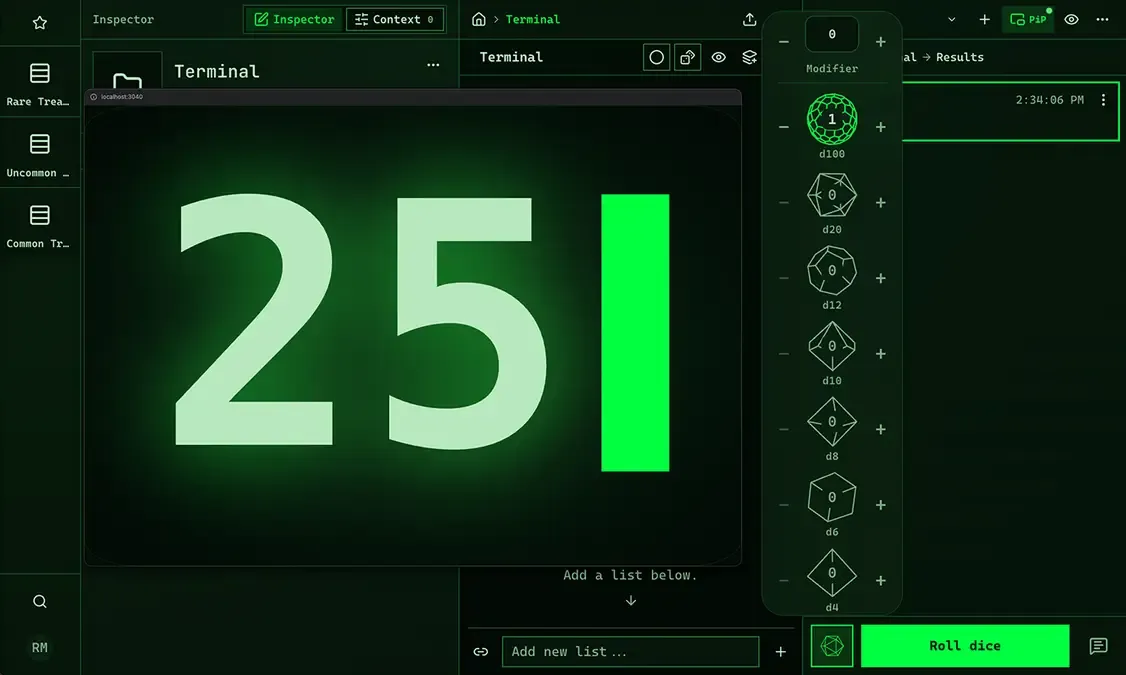
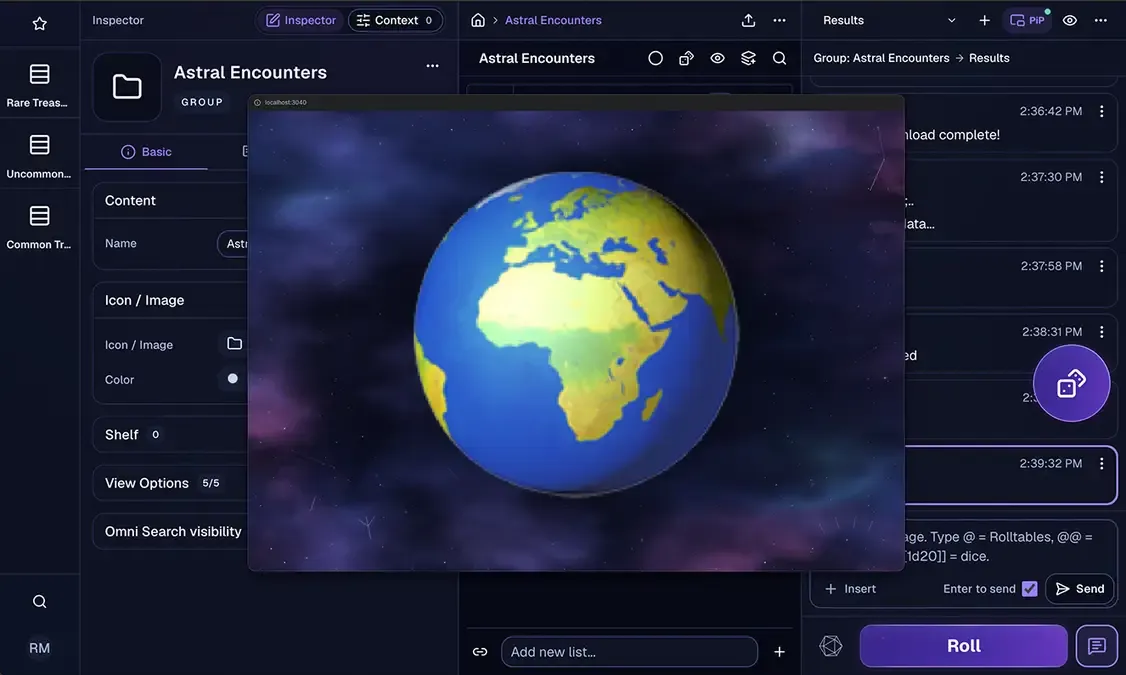
Enable Picture-in-Picture mode to keep a floating window of the Rolltable Manager results on top of your other apps. Use it for immersive solo RPG play, or present your roll results to your players by moving the window to an external monitor they can see.
The PiP button clearly indicates when the feature is active, so you always know if your players are seeing the results you rolled. The window can stay on top of browsers and most applications. Your browser controls whether its position is remembered when you toggle it on and off.
Picture-in-Picture features
- The floating window stays on top of other apps and browsers
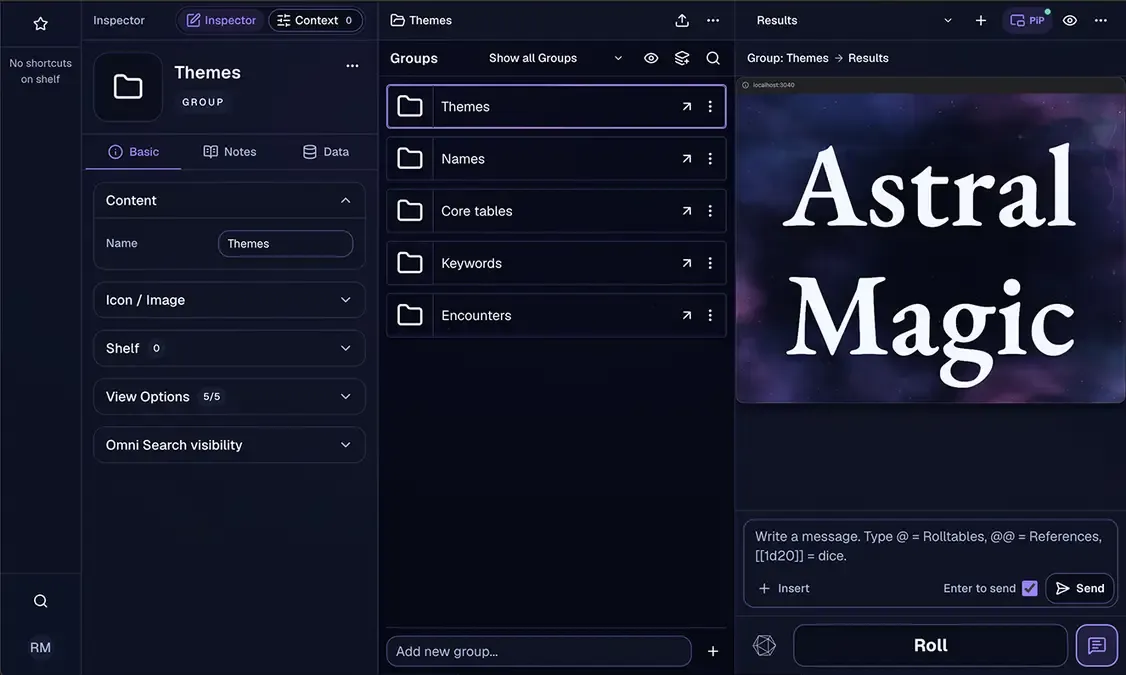
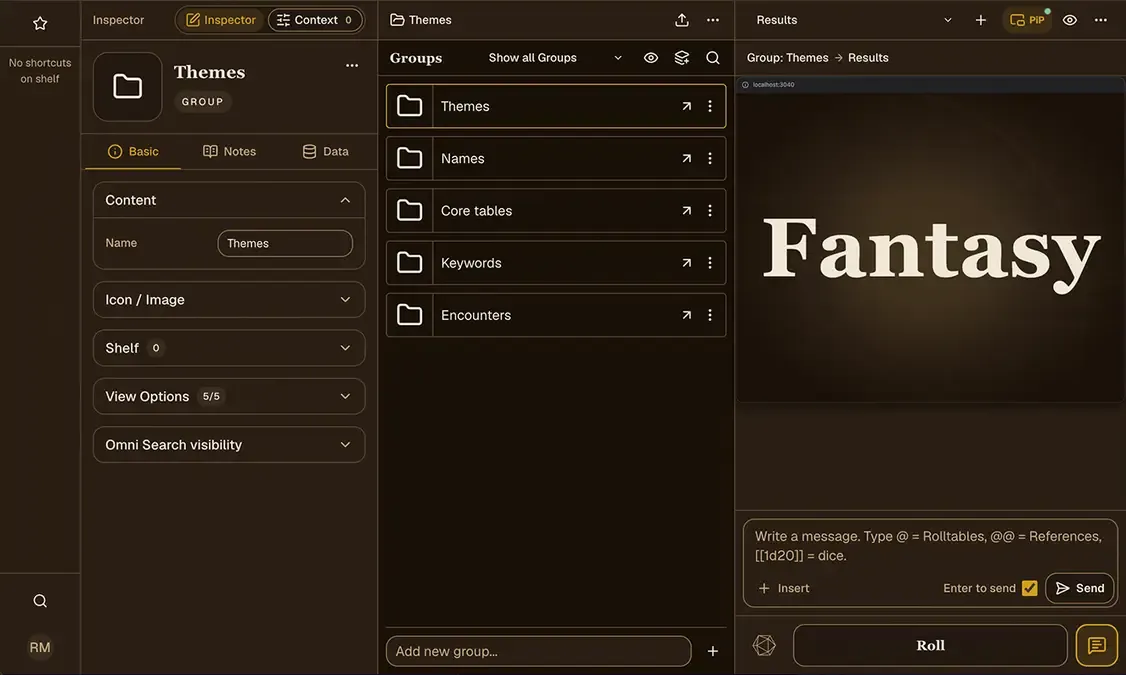
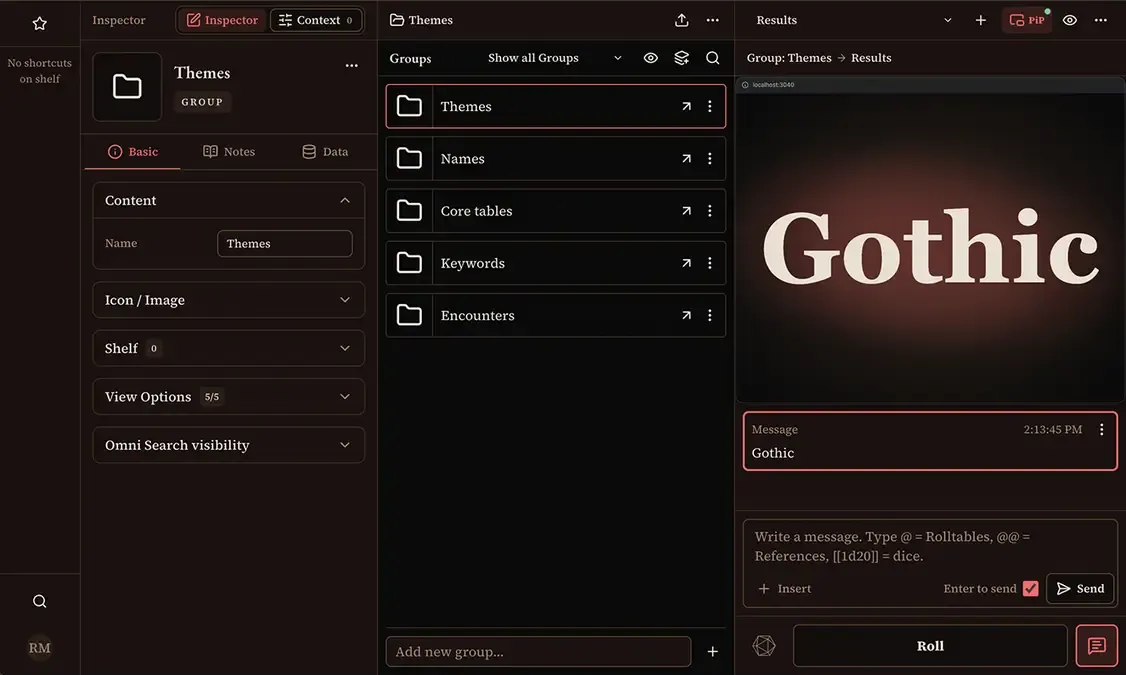
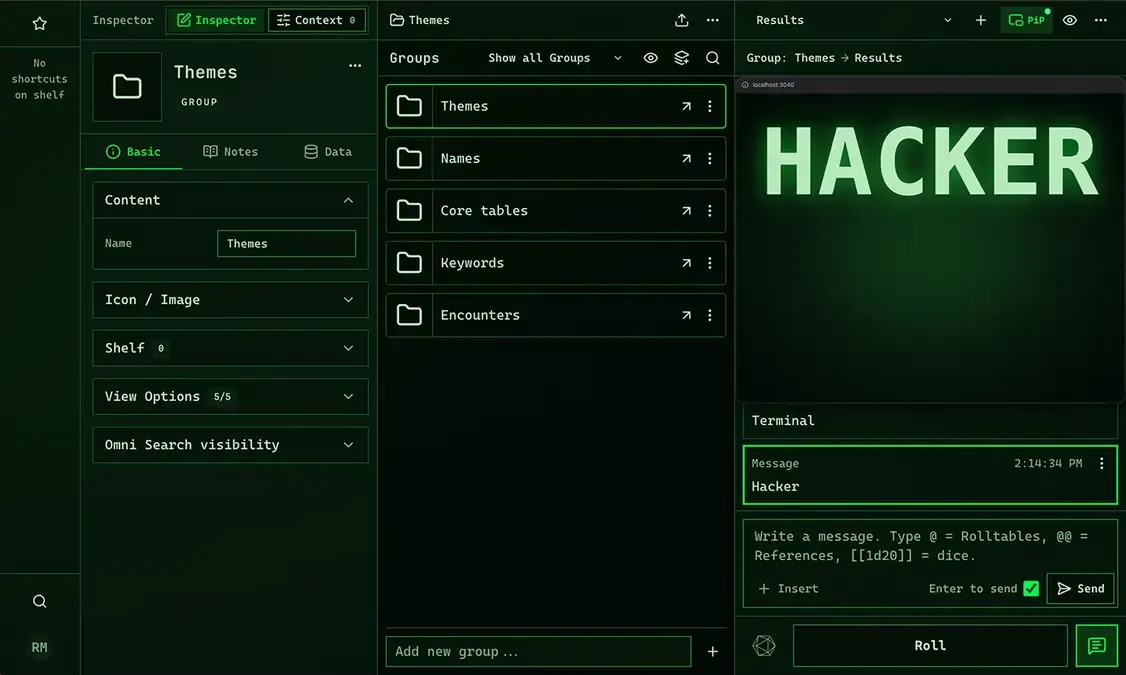
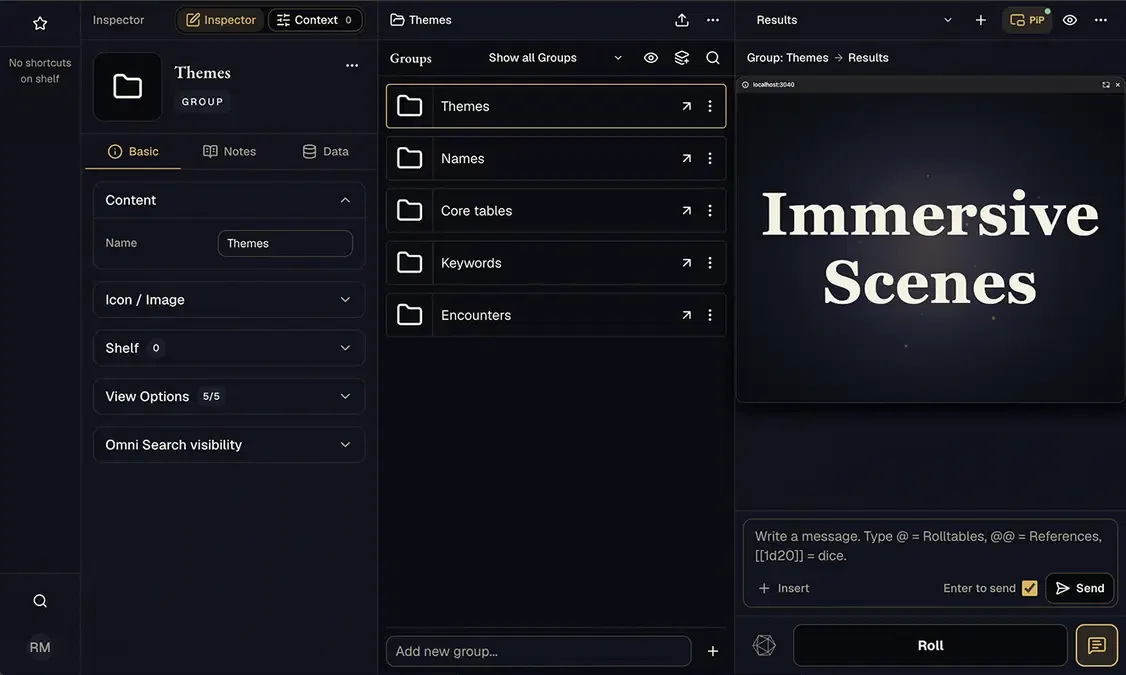
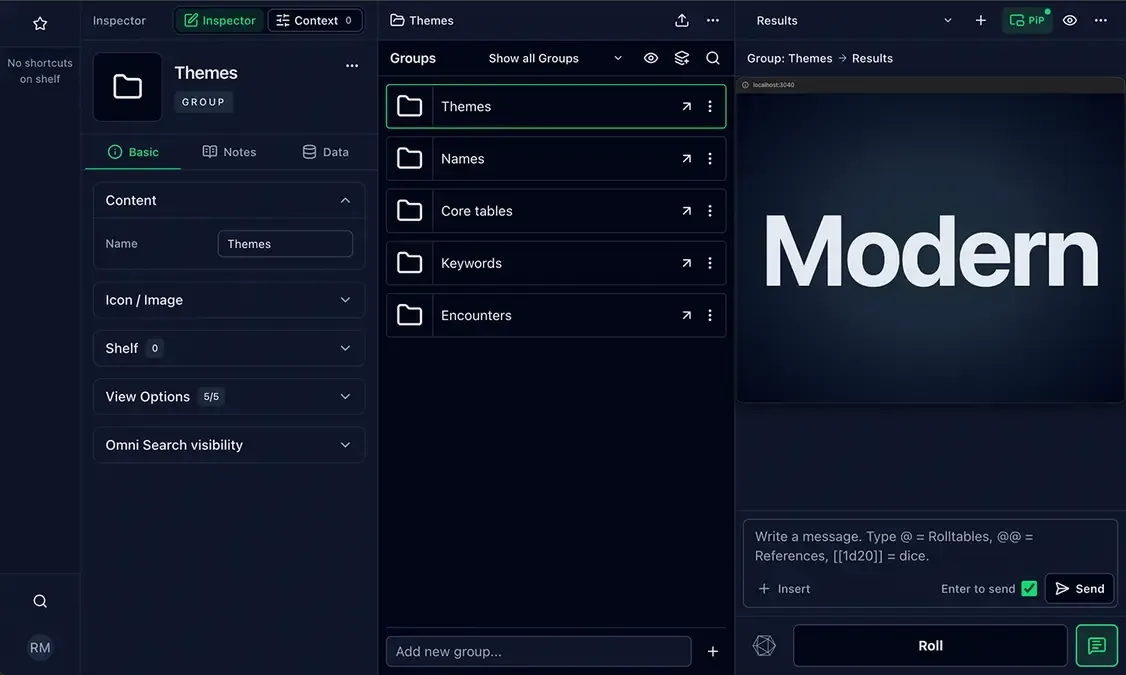
- Each theme has its own style and animated visuals
- Set a timer to auto-close the PiP window so you don't forget it is visible to your players
- Use the reduced motion option if you prefer a simpler visual experience
- Choose the text casing for the PiP window
- Place the PiP window on an external monitor and roll results that your players can see
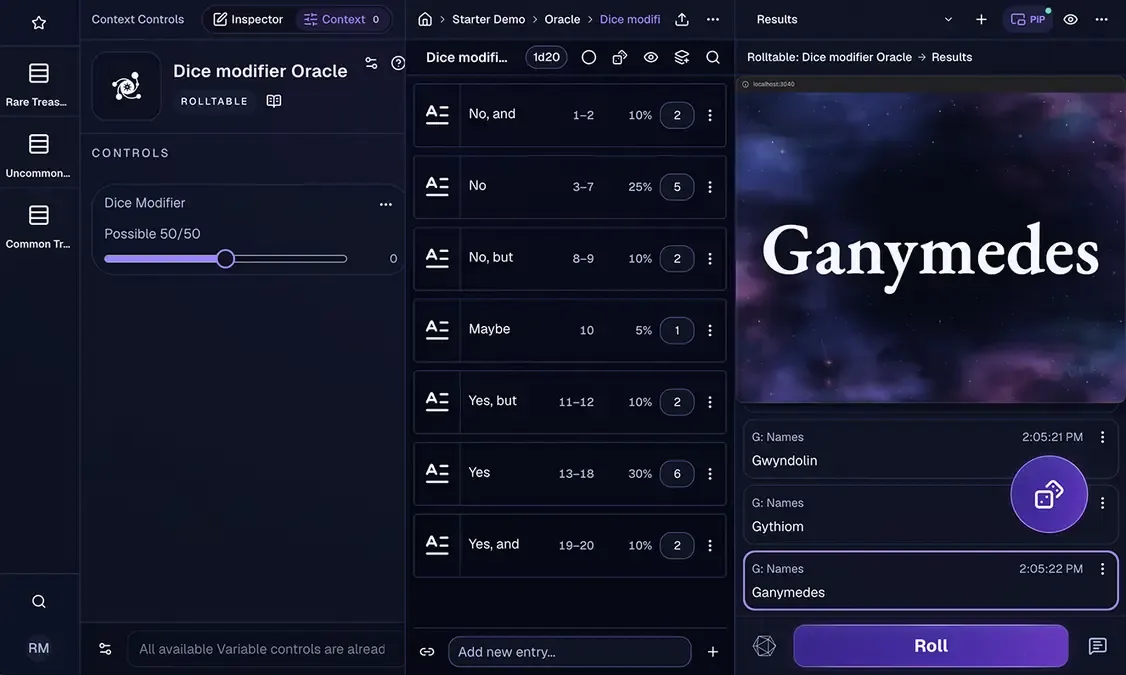
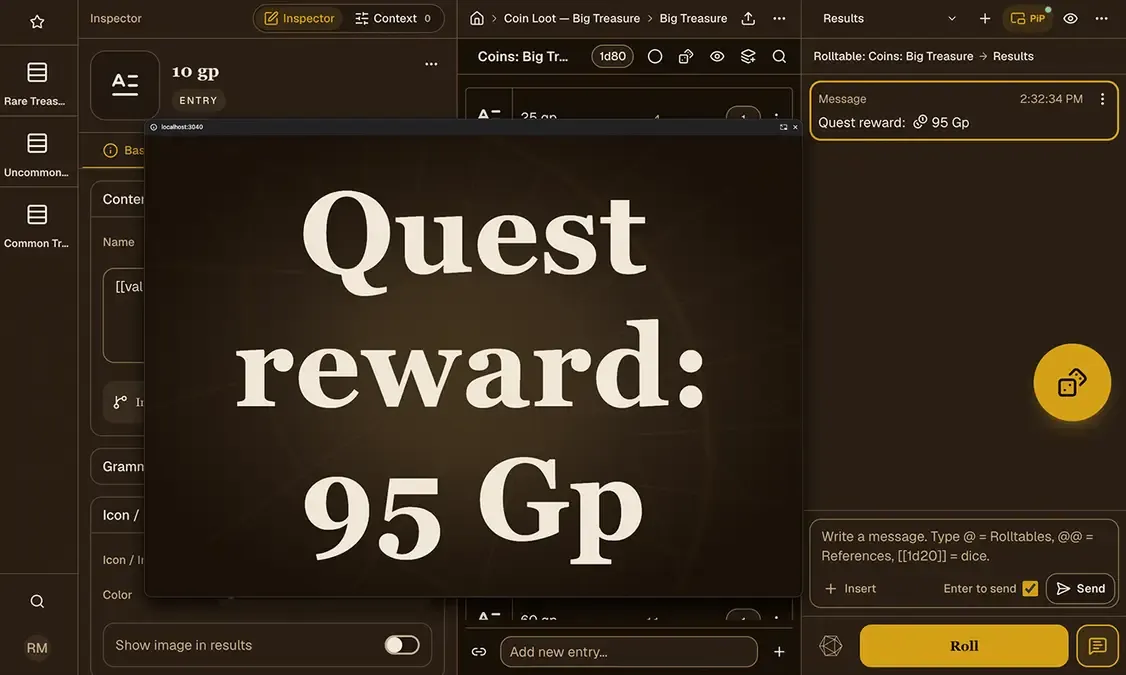
Roll and combine rolltables directly from chat
You can roll from several Rolltables and combine their results directly in chat without creating new Rolltables or Entries.
You can build an entire generator on the fly directly from chat by combining rolltables, dice formulas, compendium references, custom values and variables.
You can also use Picture-in-Picture to show custom messages and rolled results to your players.
Customizable layouts and themes to match your game setting
The desktop workspace uses adjustable panes for navigation, authoring, context controls, and results. Collapse the parts you do not need during play, then bring them back when it is time to edit.
On smaller screens, the same project is divided into focused views for Quick Access, the Inspector, Rolltables, and Results. Themes, view settings, keyboard shortcuts, and the optional floating Roll button provide a little more control over how the tool feels from one device or project to another.
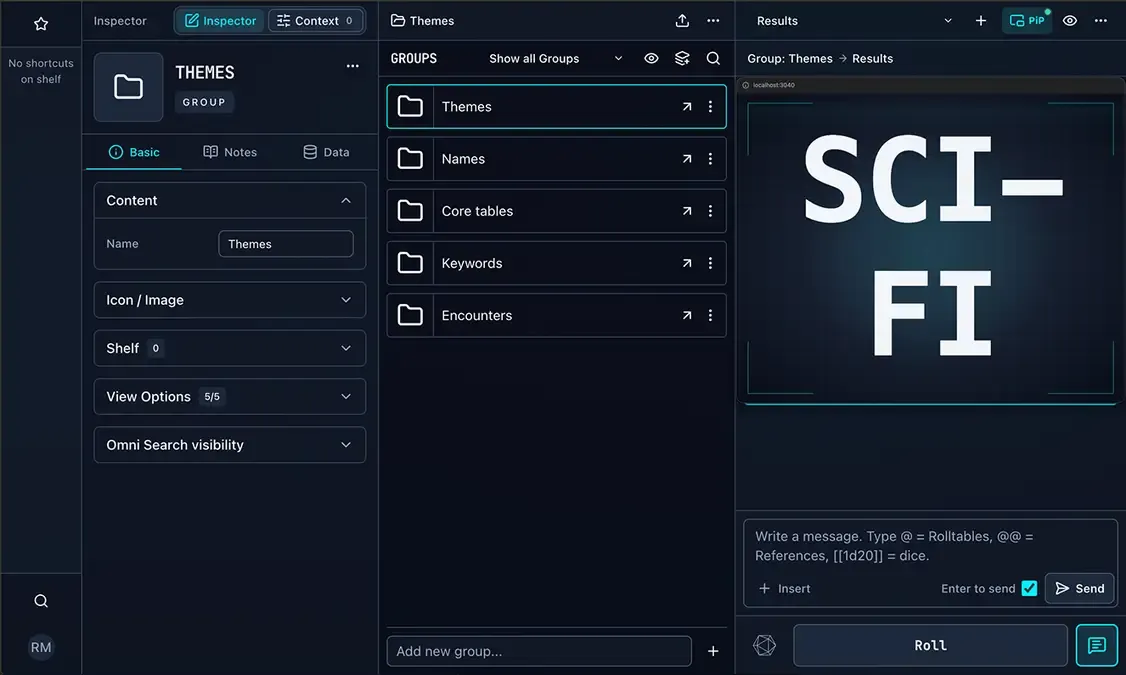
Features to customize the experience
- Collapse and resize desktop workspace panes
- Customize dice drawer visibility and behavior
- Enable an optional floating and draggable Roll button
- Adjust what is shown in the interface by clicking the eye icon
- Adjust audio and visual feedback for rolls and results
- Choose to display result annotations and control the visibility of the latest results.
- Choose a theme and save its Light, Dark, or System color mode per project
- Customize keyboard shortcuts for common workspace actions
- Add built-in icons and images from the Media Library
- Use a focused mobile layout with dedicated workspace views
Projects with backup and sharing options
Rolltable Manager stores local projects in the browser, so an account is not required to create, edit, or roll. Patreon Supporters can use Cloud Sync to create private cloud copies and sync supported projects across devices and browsers.
With Project Backup, you can download a local safety copy of your project, while Share Project lets you download a clean starter version for someone else. Content Packs make it possible to share, import, and export selected parts of a project in JSON format. If you share something with the community, only include content you created or are allowed to redistribute.
Projects are local-first
Keep projects in your browser, download backups, or optionally support Immersive Scenes on Patreon to enable Cloud Sync backup.
- Your work is stored locally in your browser, even if you do not sign in
- Export Project Backups for safety and browser or device transfer
- Share a complete starter project as a Project Template
- Export selected reusable material as a Content Pack
- Sync projects with the optional Patreon Supporter Cloud Sync backup feature
- Install TTRPG Compendiums for easier access to rules and reference content
Changelog
2026
Chat to Results & Quick Dice
- Introduced Chat to Results for sending free-form messages with inline dice, Rolltable mentions, variables, and System References, plus recent message recall.
- Added Quick Dice for rolling dice directly into Results, with optional modifiers, customizable dice selection, and the option to keep the picker open for repeated rolls.
- Added the Astral Magic theme.
Major performance improvements
- Improved performance for large projects, context-aware rolls, nested table mentions, and Content Pack imports, with clearer import progress UI and a fix for a bug that caused result text to wrap incorrectly.
Starter project & new media assets
- Added a new Oracle starter project for first-time users, expanded the built-in image library, improved Quick Access and Notes presentation, and preserved nested System References in rolled results.
Launch improvements
- Improved backup and sharing flows, and fixed issues with Cloud Sync, keyboard navigation, Mass Edit visuals, and Entry grammar in rolls.
Initial public release
- Project launch and initial release of Rolltable Manager.
Help me keep improving Rolltable Manager
Rolltable Manager is a passion project. Your support on Patreon helps me spend more time developing new features, improving the experience, and keeping Rolltable Manager free for the community.